
Automate NPS, CSAT and CES directly from Salesforce
Trigger surveys from Salesforce events, sync feedback back to contacts and accounts, and turn responses into follow-up actions your team can act on instantly.
- 15–30 minutes · No hard pitch · See a real Salesforce feedback workflow

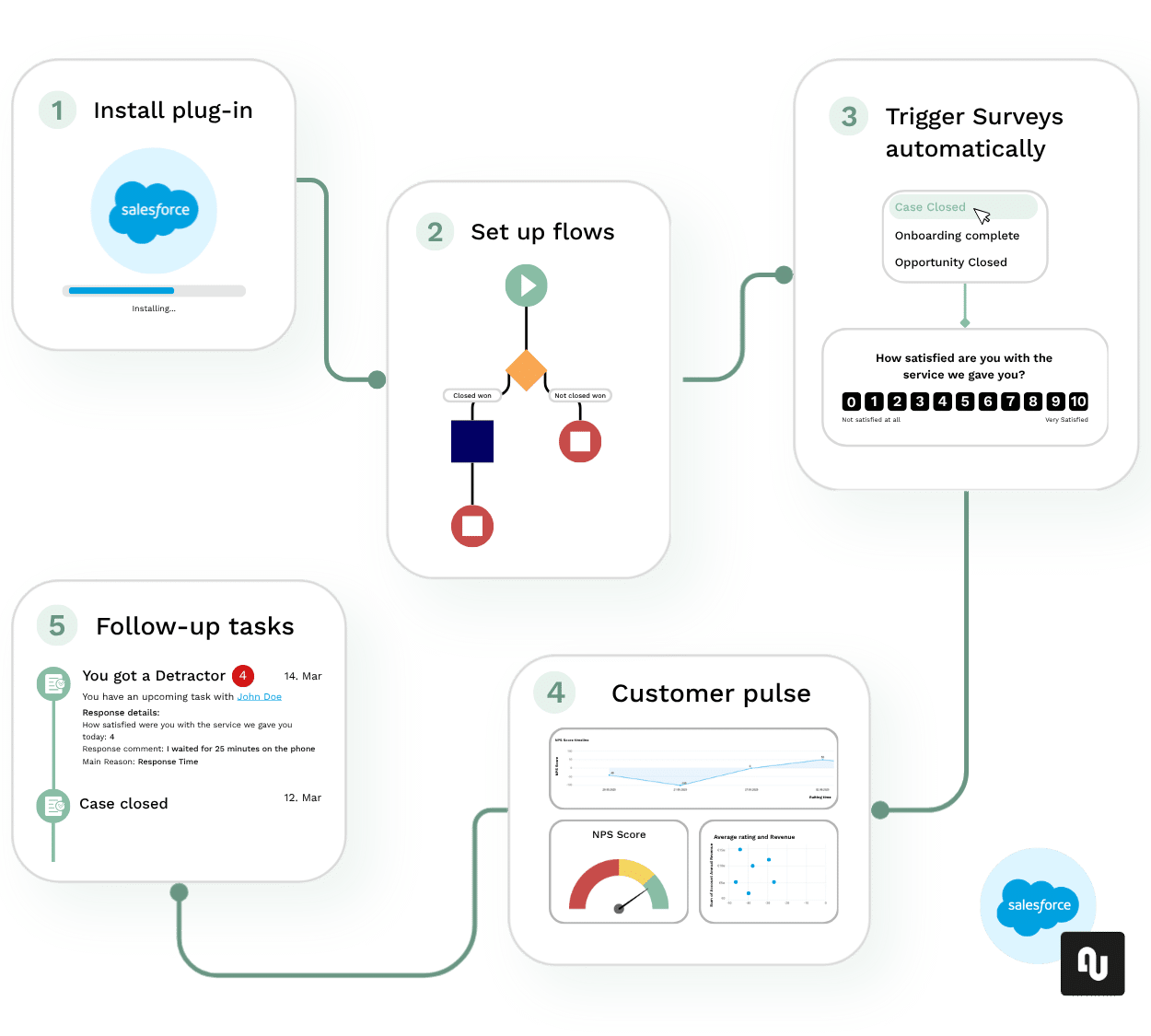
Built for Salesforce teams who want to turn feedback into action
Built for Salesforce workflows
Trigger surveys from cases, accounts, opportunities, onboarding or renewal moments.
Feedback where teams work
Show NPS, CSAT and CES responses on contacts, accounts, reports and dashboards.
From insight to action
Turn low scores and comments into alerts, tasks and recovery actions.
Secure and scalable
Designed for teams that need reliable, GDPR-ready customer feedback processes.
From disconnected feedback to Operational CX
Before
- Feedback lives in separate survey tools
- Manual exports and delayed reports
- Insights arrive too late
- No clear follow-up inside Salesforce
After nps.today + Salesforce
- Feedback collected in Salesforce
- Responses linked to records
- Real-time Customer Pulse views
- Tasks and alerts created automatically
How it works
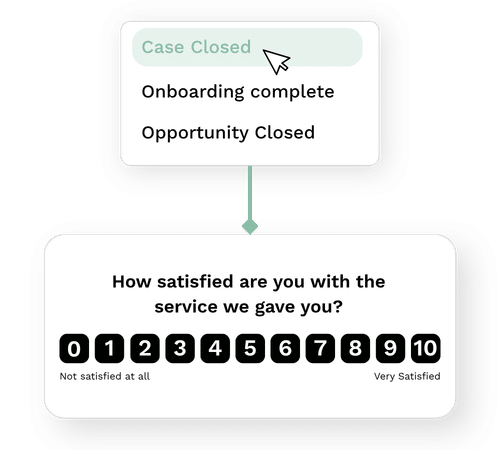
Trigger surveys
Launch NPS, CSAT or CES surveys automatically from Salesforce
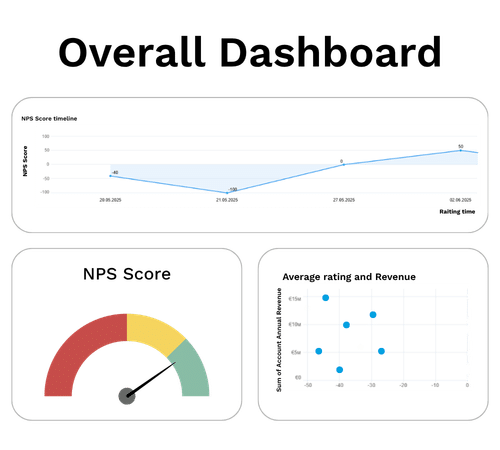
Sync responses
Survey responses are captured and continuously synced back to the right records in Salesforce
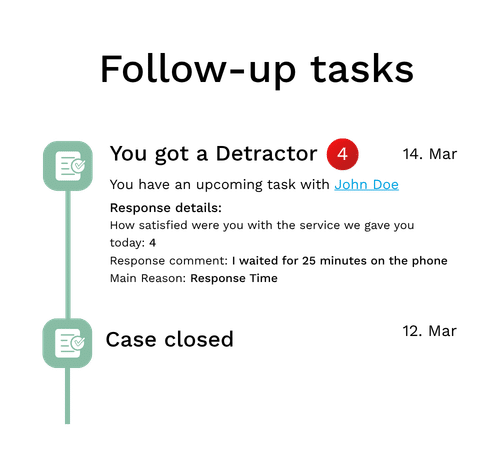
Close the loop
Create tasks, alerts and summary views for your team to act
Common Salesforce use cases
Sales
Act on feedback during or after sales transactions and recover business before you lose it
Onboarding
Discover and act on delivery problems before they turn into returns or costly solutions
Contact & Service
Make sure every service interaction meets customer expectations — and turn support feedback into retention.
Customer Health
Identify trends and drop in overall customer satisfaction and act on it before you lose customers
Trusted by other Salesforce users
– Mike Shea

– Romain Sidoti


Common questions from Salesforce teams
Wondering how nps.today would fit into your Salesforce setup? Here are the questions teams typically ask before seeing the workflow in action.
Can surveys be triggered directly from Salesforce?
Yes. nps.today can trigger NPS, CSAT and CES surveys from Salesforce, so you can collect feedback after key customer moments such as closed cases, onboarding, renewals, sales handovers or other interactions.
Where does the feedback appear inside Salesforce?
Responses can be brought back into Salesforce, so teams can work with customer feedback on contacts, accounts, dashboards, reports and Customer Pulse views.
Can we automate follow-up when customers give low scores?
Yes. You can use feedback scores and comments to notify the right colleagues, create follow-up tasks, take notes and help teams close the loop faster.
Do we need a large Salesforce implementation project?
No. nps.today is designed as a plug-in approach to Salesforce, so teams can get started without building a heavy custom survey setup from scratch. In the walkthrough, we’ll show what setup could look like for your use case.
Which survey types and channels are supported?
nps.today supports branded NPS, CSAT and CES Customer Pulse surveys. Surveys can be sent by e-mail and SMS, and can also be embedded or shown as pop-ups in Salesforce e-mails, messaging/chat and Experience Cloud.
Can teams outside Salesforce also use the feedback?
Yes. Feedback can also be shared through live dashboards, wallboards, the Feedback App, BI and AI-supported analysis, so CX, service, sales and leadership teams can work from the same customer pulse.
See how nps.today would work in your Salesforce setup
30 minutes · No hard pitch · Just a clear look at the workflow
Book a personalized demo and see how you can collect feedback, automae follow-ups and act faster.
-
Which Salesforce events can trigger surveys
Cases, onboarding, renewals, sales handovers or other customer moments. -
How NPS, CSAT and CES responses flow back into Salesforce
Connected to contacts, accounts, dashboards and reports. -
How your teams can act on feedback faster
With alerts, tasks, workflows and Customer Pulse views. -
What the setup could look like for your use case
We’ll map the most relevant feedback flow for your Salesforce environment.