Delivery & Product
Customer Experience for Delivery & Product
Use NPS for Delivery & Product to understand what happens after the customer says yes.
The buying decision is only the beginning. Customers judge your company by what happens next: the order confirmation, delivery updates, installation, onboarding, product quality, first use, support experience and how you handle problems.
nps.today helps delivery, operations and product teams collect feedback at the moments where expectations either become trust or turn into frustration.
Why NPS Works for Delivery & Product
Delivery and product experience are where promises are tested.
A campaign can create interest. A salesperson can create trust. But delivery, onboarding and product usage decide whether the customer feels they made the right choice.
NPS for Delivery & Product helps you identify where the experience breaks down: late deliveries, unclear communication, failed installations, difficult onboarding, product issues, poor instructions, returns or unresolved support cases.
The NPS method is useful for delivery and product teams because it is:
- Promise-focused: Measure whether the customer experience matches what was sold.
- Issue-sensitive: Catch problems early before they become complaints, returns or churn.
- Product-informed: Use real customer feedback to improve quality, usability and roadmap decisions.
- Operational: Route feedback directly to logistics, support, product or delivery teams.
- Repeatable: Measure the same journey across orders, products, regions and customer segments.
New to NPS? Learn how the method works here
Feedback after the sale matters most
Many companies measure the buying journey, but miss the moments that decide long-term satisfaction.
A customer may be happy when they place an order, but disappointed when delivery information is unclear. They may accept a product, but struggle with installation. They may not complain, but still decide not to buy again.
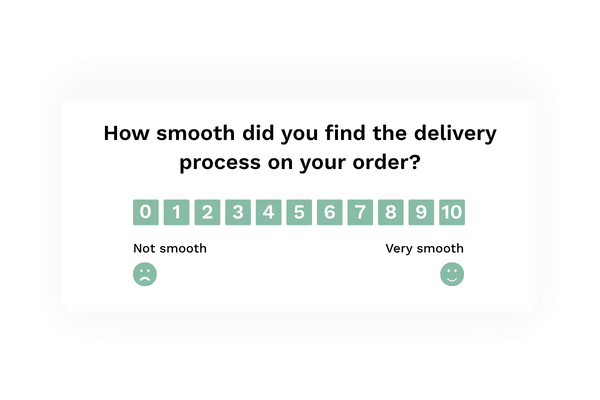
With nps.today, you can collect short NPS, CSAT or CES surveys after the specific moments that shape product confidence and repeat purchase.
Use customer feedback to improve:
- Delivery communication and reliability
- Installation and setup quality
- Onboarding and first-use experience
- Product usability and performance
- Returns, claims and error handling
- Support and service recovery
- Product development priorities
- Repeat purchase and retention
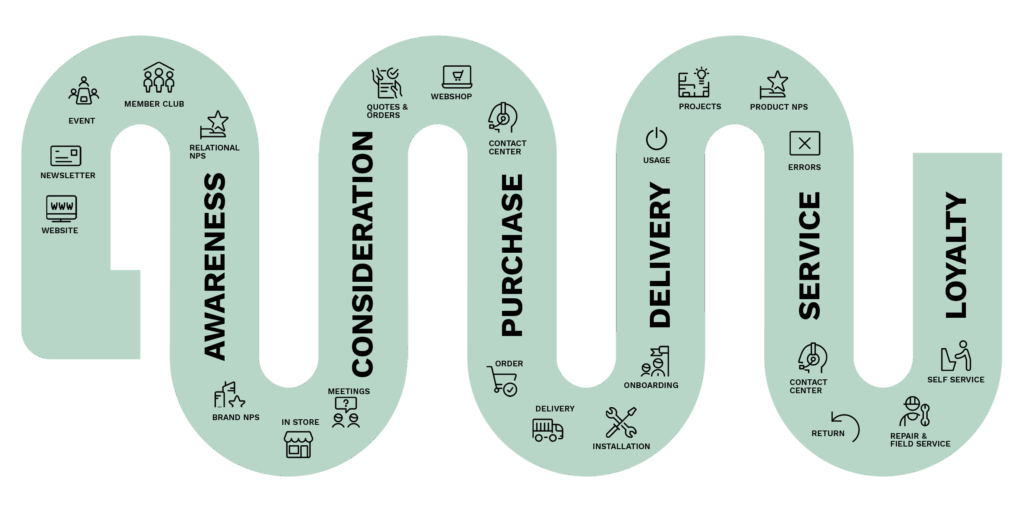
Delivery and product survey programs you can run
Order
Collect feedback after checkout or order confirmation to understand whether the buying process felt clear, easy and trustworthy. Use responses to find missing information, confusing steps, payment friction or uncertainty before delivery even begins.
Delivery
Ask customers whether delivery arrived on time, in good condition and with the right communication. Use feedback from email, SMS and QR codes to identify delivery issues, improve logistics partners and follow up when expectations were not met.
Installation
Measure the quality of installation, setup or handover shortly after completion. Find out whether the customer felt informed, safe and ready to use the product. Use poor ratings to trigger fast correction before the issue becomes a complaint.
Onboarding
Collect feedback during or after onboarding to understand whether customers feel guided, confident and able to get value from the product or service. Use insights to improve instructions, training, onboarding flows and customer success handovers.
Usage
Ask for feedback after customers have used the product for a while, after updates or after new feature releases. Understand what works, what creates friction and what customers expected but did not get.
Projects
For project-based delivery, collect feedback at key milestones instead of waiting until the end. Identify unclear expectations, delays, communication gaps or dissatisfaction early enough to fix the relationship before costs escalate.
Product NPS
Use Product NPS to understand how customers rate the product itself after real usage. Bring customer feedback into product development, roadmap planning, quality improvements and prioritization decisions.
Errors
Make it easy for customers to report product errors, failed deliveries, installation problems or missing information. Use QR codes, pop-ups or in-product feedback to send alerts directly to the team that can solve the issue.
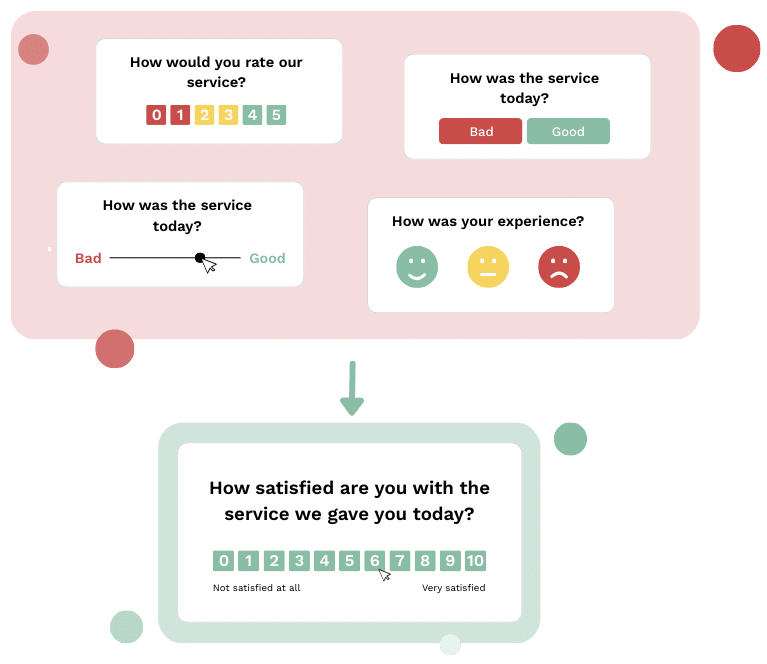
Replace disconnected surveys with one customer feedback framework
Delivery, logistics, support, product and operations teams often collect feedback in different systems. One team may track delivery complaints, another tracks product issues, while support handles cases separately.
This makes it difficult to see the complete customer experience.
nps.today gives every team one shared feedback framework. Everyone can understand the score, read the customer’s explanation and see what needs to happen next.
One cross-platform CX solution for Delivery & Product
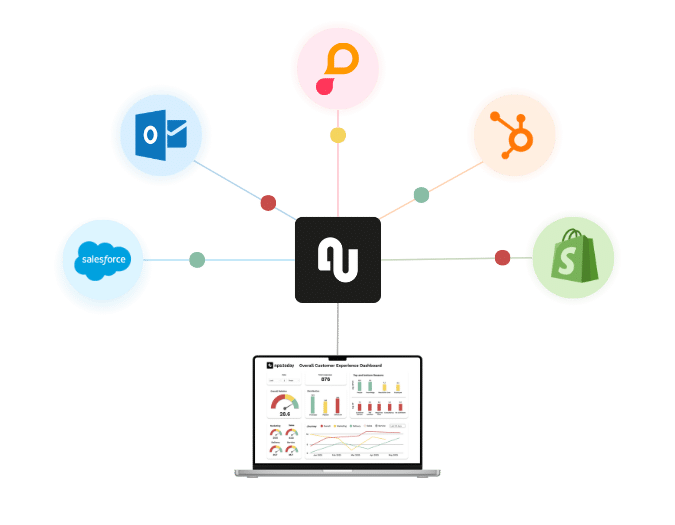
To manage delivery and product feedback properly, you need a solution that connects with the systems where orders, products, cases and customers already live.
With nps.today plug-ins and Connect Kit, you can trigger surveys from key events and make feedback visible inside the tools your teams use every day.
Use integrations to connect feedback with:
- E-commerce platforms
- ERP and order systems
- CRM platforms
- Logistics and delivery systems
- Customer service tools
- Returns and case management systems
- Product and customer portals
- BI and reporting dashboards
Improve delivery reliability
Use feedback to identify delivery issues by carrier, region, product type or delivery flow. Understand whether customers receive the right information, at the right time, and whether delivery problems are being solved quickly enough.
Reduce returns and support cases
Feedback can reveal why customers return products or contact support. Use recurring themes to improve product descriptions, instructions, packaging, onboarding, delivery communication or product quality.
Improve onboarding and first use
The first experience after delivery is often where customers decide whether the product feels valuable. Use onboarding feedback to find unclear steps, missing guidance and moments where customers need extra help.
Bring customer feedback into product development
Product teams often rely on internal assumptions, support tickets or feature requests. Product NPS gives a broader view of what customers value, what frustrates them and what should influence roadmap decisions.
Share and monitor feedback in real time
Delivery and product feedback should reach the teams that can act on it.
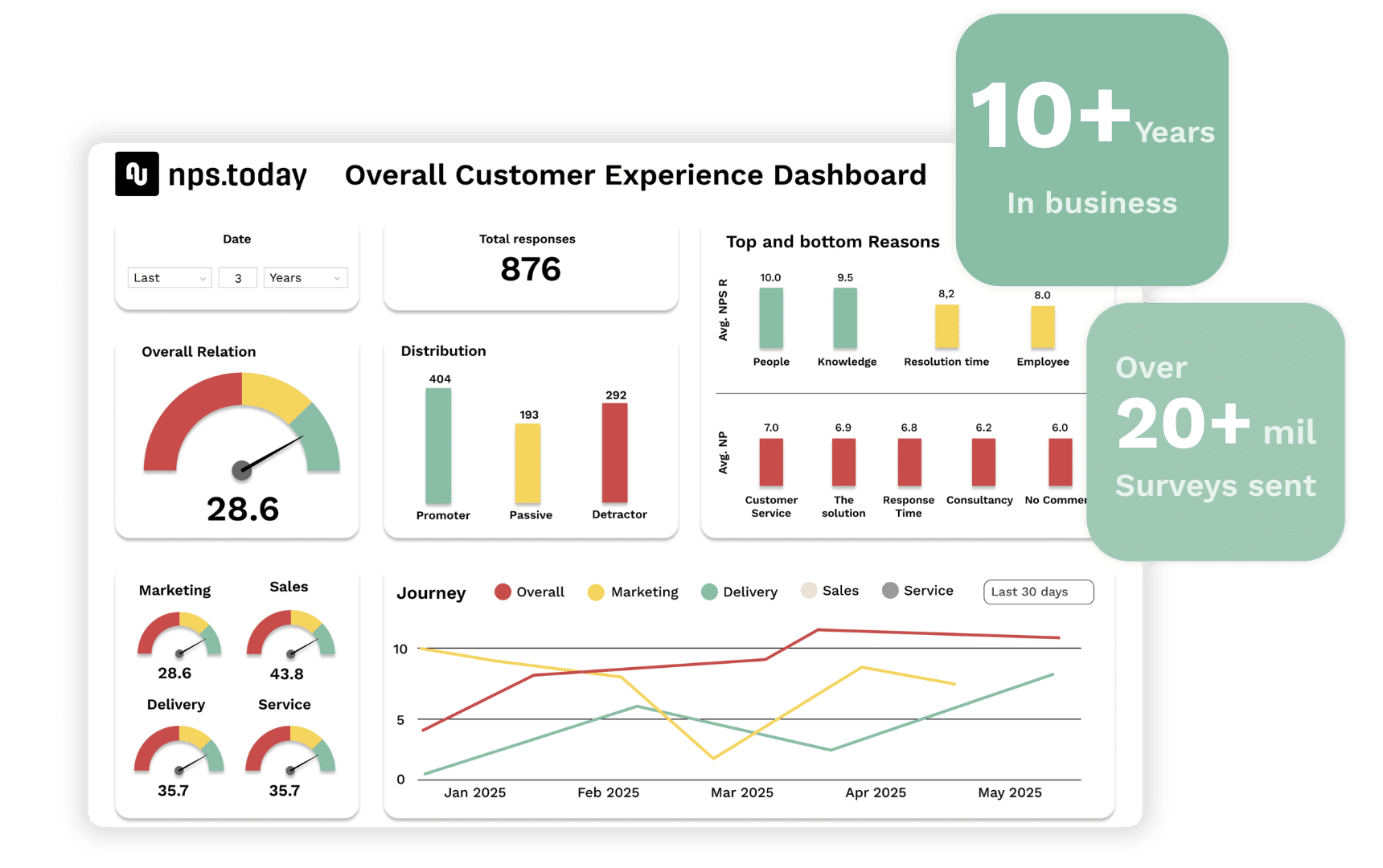
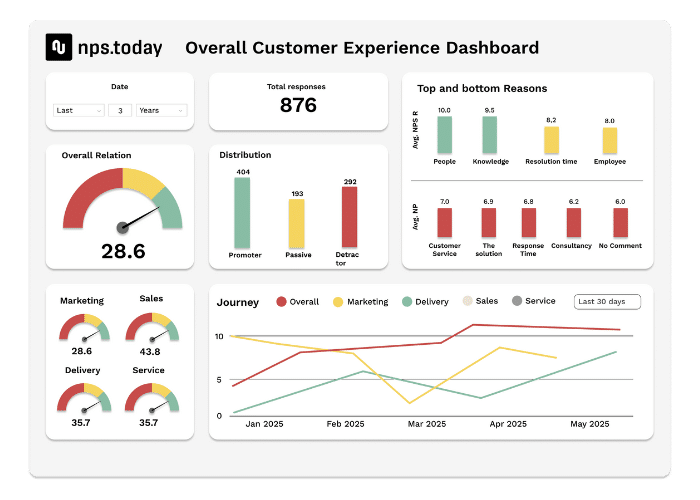
nps.today helps teams share feedback through dashboards, notifications, web apps, mobile views and reports. Operations, product, logistics, support and management can monitor results by product line, delivery flow, region, service level, project phase or customer segment.
Set up alerts so failed deliveries, poor installations, product errors or unhappy customers are handled before the issue grows.

Understand what affects product and delivery satisfaction
Scores show where the experience went wrong. Comments explain why.
Use reason mapping and AI-driven feedback analysis to identify recurring themes across delivery, onboarding, product usage, returns and support. See what promoters value, what passives are missing, and what detractors need fixed.
With Power Dashboards, you can analyze feedback by order flow, product category, delivery partner, region, onboarding step, support case or customer segment.
Easy implementation with Delivery & Product best practices
nps.today includes survey templates, automated triggers and plug-and-play integrations for delivery, operations and product teams.
Start with one high-impact journey, such as delivery feedback, onboarding feedback or Product NPS. Then scale across orders, installation, product usage, returns, support and long-term product satisfaction.

FAQ about NPS for Sales & CRM
What is NPS for Delivery & Product?
NPS for Delivery & Product is a way to measure how customers experience delivery, installation, onboarding, product usage, returns and support after they have placed an order.
Why is delivery feedback important?
Delivery feedback helps teams understand whether customers receive what they expected, on time and with clear communication. It can reveal recurring delivery issues before they damage satisfaction and loyalty.
How can product teams use NPS?
Product teams can use NPS to understand how customers experience product quality, usability, performance and value after real usage. This gives product teams better input for improvements and roadmap decisions.
Which touchpoints should delivery and product teams measure?
Common touchpoints include order confirmation, delivery, installation, onboarding, first use, product updates, returns, claims, support cases and recurring Product NPS surveys.
Can feedback be connected to order, CRM or support systems?
Yes. nps.today can connect feedback to CRM, e-commerce, ERP, logistics and support systems, so responses can trigger alerts, workflows, follow-up tasks and customer pulse views.
Customer Experience for Delivery & Product
Turn delivery and product feedback into better experiences
See how nps.today helps delivery, logistics, operations and product teams collect NPS, CSAT and CES feedback across orders, delivery, installation, onboarding, product usage, returns and support interactions — with automated survey triggers, real-time notifications, CRM integrations and AI-powered feedback insights.
- NPS and CSAT surveys for delivery, onboarding and product usage
- Customer feedback across logistics, e-commerce, CRM and support systems
- Automated follow-up, real-time notifications and AI feedback analysis